Posts

Showing posts with the label Solution

User 'UserID' is not authorized to select a record in table 'CustDefaultLocation'. Request denied. Cannot select a record in Customer default locations (CustDefaultLocation). Access Denied: You do not have sufficient authorization to modify data in database.
Image
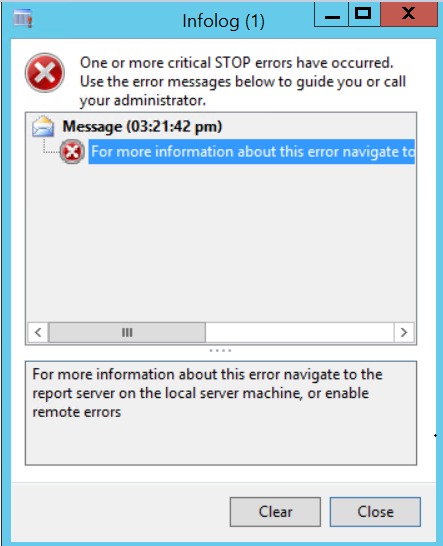
Hi AX Technical, Today, in this post we will talk about an SSRS Report Error and its solution. Please have a look at the below error: If you are getting this below error that means you need to enable remote errors first. Please click on this link to check the solution. Once you enable the remote errors you can check for below error solution: Error : User 'UserID' is not authorized to select a record in table 'CustDefaultLocation'. Request denied. Cannot select a record in Customer default locations (CustDefaultLocation). Access Denied: You do not have sufficient authorization to modify data in database. (S)\Classes\xInfo\add (S)\Classes\Info\add - line 94 (S)\Data Dictionary\Tables\CustDefaultLocation\Methods\exists - line 6 (S)\Classes\LogisticsLocationDefault\defaultExists - line 18 (S)\Classes\LogisticsLocationDefault\findSimpleDefault - line 19 (S)\Data Dictionary\Tables\SalesTable\Methods\initFromCustTableMandatoryFields - l...

Illegal data conversion from original field ProdParameters.PKA_BOMQtyEdit to ProdParameters.PKA_DisableNewDeletePickingList: unable to convert data types to anything but character field type (14 to 49)

Image
Hi Technical, Today, in this post we will talk about a very interesting topic about illegal data conversion from original field to newly created field. Here, we need to understand this error occur while DB synchronization. Error : Illegal data conversion from original field ProdParameters.PKA_BOMQtyEdit to ProdParameters.PKA_DisableNewDeletePickingList: unable to convert data types to anything but character field type (14 to 49) Note : PKA_BOMQtyEdit  and PKA_DisableNewDeletePickingList are ProdParameters table fields. Solution : Note : Please perform below action if you are DBA or having knowledge on SQL Queries in AX. Check the fields id in AOT and compare it with SQLDictionary table in SQL with the following query: --To Check: select * from SQLDICTIONARY where TABLEID in (select TABLEID from SQLDICTIONARY where name = 'ProdParameters') and NAME = 'PKA_BOMQtyEdit' select * from SQLDICTIONARY where TABLEID in (select TABLEID from SQLDICTION...

Product attributes value by item id using X++

Image
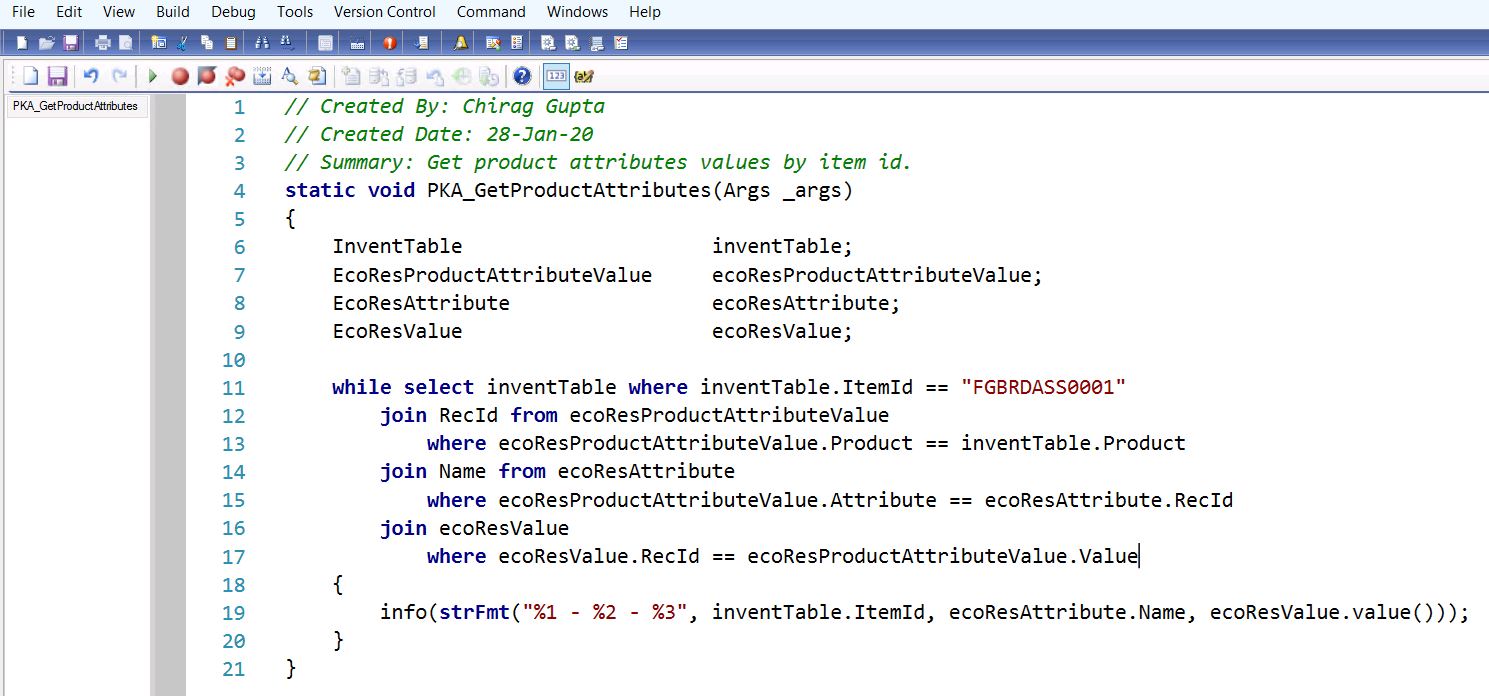
Hi Technical, Today, in this post we are going to share a piece of code to fetch product attributes value by item id using X++ in AX 2012 R2/R3. Create a AOT job and copy paste the below code: // Created By: Chirag Gupta // Created Date: 28-Jan-20 // Summary: Get product attributes values by item id. static void PKA_GetProductAttributes(Args _args) {     InventTable                     inventTable;     EcoResProductAttributeValue     ecoResProductAttributeValue;     EcoResAttribute                 ecoResAttribute;     EcoResValue                     ecoResValue;     while select inventTable where inventTable.ItemId == "FGBRDASS0001"         join RecId from ecoResProductAttributeValue             ...

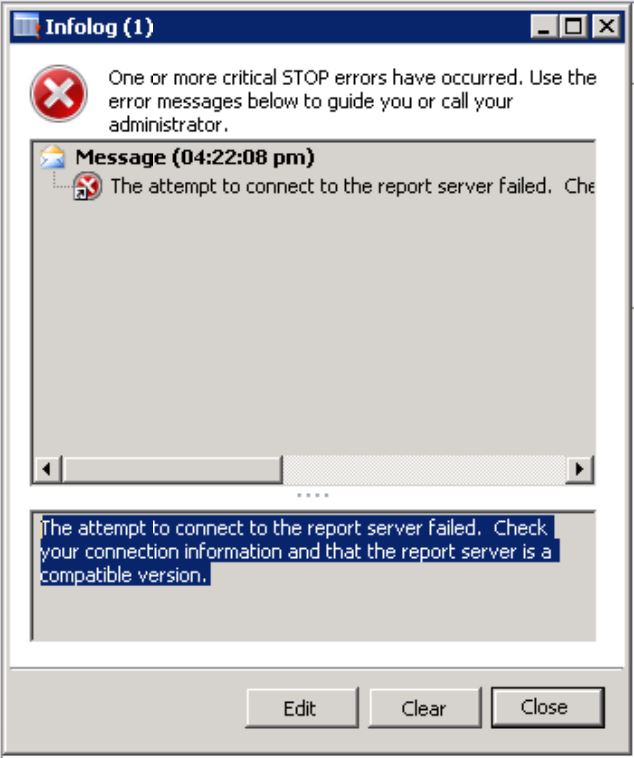
AX 2012: The attempt to connect to the report server failed. Check your connection information and that the report server is a compatible version.

Image
Hi Readers, Today, in this post we are going to share a solution for below error. Error : The attempt to connect to the report server failed. Check your connection information and that the report server is a compatible version. Solution: 1) Login to AX and end user's sessions. 2) Logout from AX. 3) Restart AX AOS services. 4) Restart SSRS Services. 5) Login to AX again and navigate to System administration/Area page/Setup/Business intelligence/Reporting Services/Report servers and click on validate settings. Please see below screenshot for your reference. 6) You should get success message after validating the settings. 7) Now, try to run a report and wait for sometime as it will take sometime to run the SSRS reports first time. 8) Enjoy, error is resolved. Comment below if you found this article helpful... Author : Chirag Gupta Microsoft Dynamics 365 AX Technical Consultant at IBM Bangalore Date : 3-Jan-2020 Happy Learning !!

AX 2012 - Update must be performed inside a transaction

Image
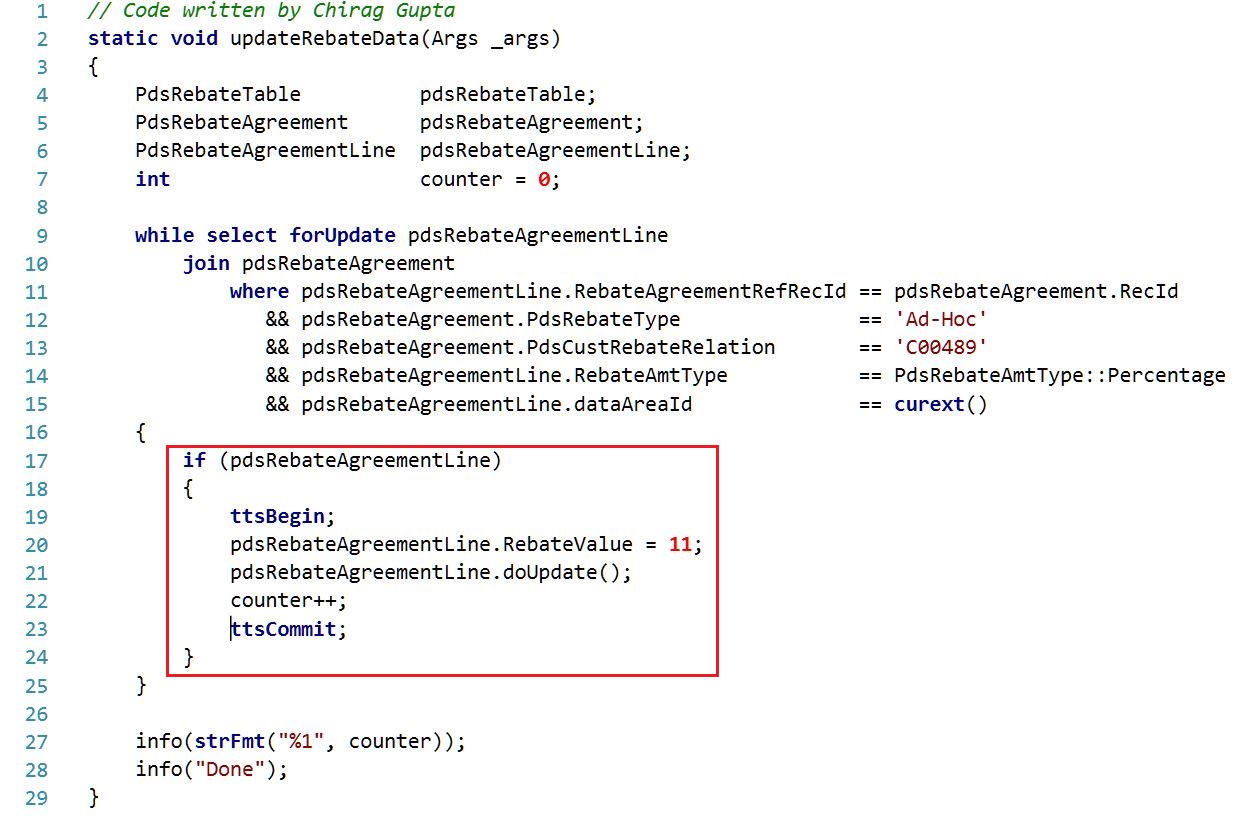
Hi Readers, Many times you might have seen below error while you were updating or inserting data using X++. Error: Update must be performed inside a transaction Solution: The solution for the above error is you must keep your updating or inserting code into ttsBegin and ttsCommit. Syntax: ttsBegin; // Your_Code ttsCommit; Example: Copy code from below: // Code written by Chirag Gupta static void updateRebateData(Args _args) {     PdsRebateTable          pdsRebateTable;     PdsRebateAgreement      pdsRebateAgreement;     PdsRebateAgreementLine  pdsRebateAgreementLine;     int                     counter = 0;         while select forUpdate pdsRebateAgreementLine         join pdsRebateAgreement             where pdsRebateAgreementLine.RebateAgr...

AX 2012 - How to make a form field mandatory

Image
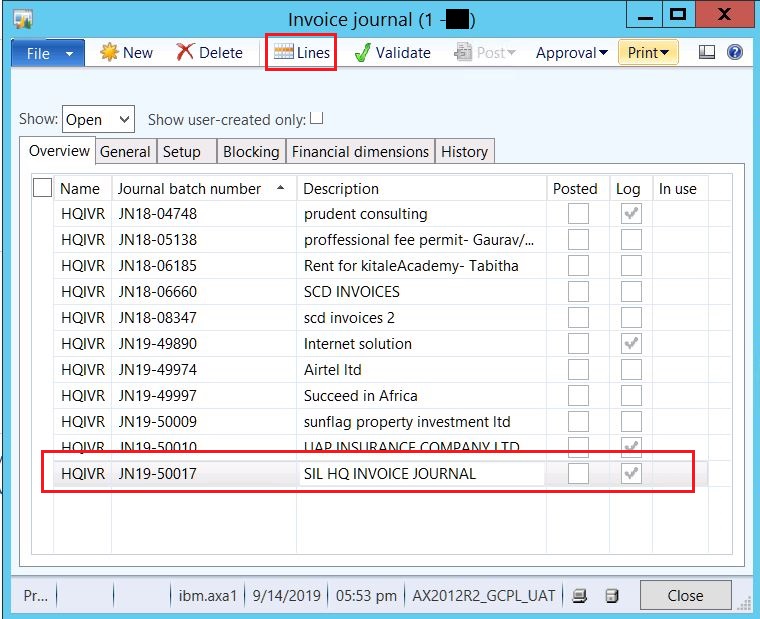
Hello Readers, Some days ago, we had come across a requirement that we need to make a form field mandatory. We are sharing this article to help you to understand how you can achieve the same requirement. Requirement : Make 'document date' mandatory for Invoice Journal Lines form. Solution : 1. Go to Accounts payable/Area page/Journals/Invoices/Invoice Journal, Invoice journal form will open like below... 2. Click on lines in invoice journal form, journal voucher form will open. 3. Right click on document date field and click on personalize. You can see AOT form name to be edit. Click on edit button like below... 4. Expand the designs node of this form and make the document date mandatory after selecting mandatory = yes in the form properties. 5. Now, form document date field has been mandatory, if you try to save the form data without document date it will through an error like "Field 'Document date' must be filled in." ...

[Error] - Msg 3101, Level 16, State 1, Line 2 Exclusive access could not be obtained because the database is in use. Msg 3013, Level 16, State 1, Line 2 RESTORE DATABASE is terminating abnormally.

Hi Folks, Today, in this article we will talk about below error which generally cause when database is in use and you want to perform an operation on DB like DB restoration. Error : Msg 3101, Level 16, State 1, Line 2 Exclusive access could not be obtained because the database is in use. Msg 3013, Level 16, State 1, Line 2 RESTORE DATABASE is terminating abnormally. Solution : 1. Login to your SQL Server Management Studio (SSMS) using run as administrator. 2. Select the DB on which you want to perform the operation. 3. Click on 'New Query' button or press CTRL + N, a new window will open. 4. Copy the below script and run it. use master go alter database Your_DB_Name set single_user with rollback immediate go alter database Your_DB_Name set multi_user go 5. Now, try to perform the operation again. You should be able to perform it. Comment below if this article helped you... Author : Chirag Gupta Microsoft Dynamics 365 AX Technical Consultant at...

[Solved] : AX 2012 - No connection could be made because the target machine actively refused it 192.168.10.249:8201

Image
Hi Readers, Today, all users from my working location faced below issue when they were running SSRS Report on AX 2012 R2/R3 version. Error : No connection could be made because the target machine actively refused it 192.168.10.249:8201 Solution : Step 1: End all users session from AX by logging out online users from System Administrator. Step 2: Close your AX and restart AX services . Step 3: Restart SQL Server Reporting Services ( SSRS ). Now, you can run the reports successfully. Author : Chirag Gupta Microsoft Dynamics 365 AX Technical Consultant at IBM Bangalore Date : 9-Sep-2019 Happy Learning !!

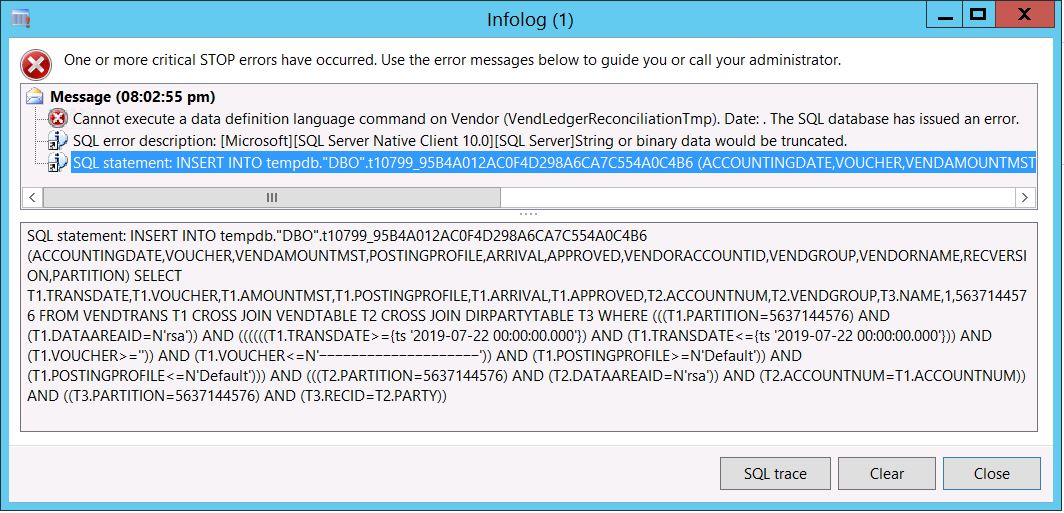
[Solved] : Error: String or binary data would be truncated. Cannot execute a data definition language command on Vendor (VendLedgerReconciliationTmp)

Image
Error : Cannot execute a data definition language command on Vendor (VendLedgerReconciliationTmp). Date: . The SQL database has issued an error. SQL error description: [Microsoft][SQL Server Native Client 10.0][SQL Server]String or binary data would be truncated. SQL statement: INSERT INTO tempdb."DBO".t10799_95B4A012AC0F4D298A6CA7C554A0C4B6 (ACCOUNTINGDATE,VOUCHER,VENDAMOUNTMST,POSTINGPROFILE,ARRIVAL,APPROVED,VENDORACCOUNTID,VENDGROUP,VENDORNAME,RECVERSION,PARTITION) SELECT T1.TRANSDATE,T1.VOUCHER,T1.AMOUNTMST,T1.POSTINGPROFILE,T1.ARRIVAL,T1.APPROVED,T2.ACCOUNTNUM,T2.VENDGROUP,T3.NAME,1,5637144576 FROM VENDTRANS T1 CROSS JOIN VENDTABLE T2 CROSS JOIN DIRPARTYTABLE T3 WHERE (((T1.PARTITION=5637144576) AND (T1.DATAAREAID=N'rsa')) AND ((((((T1.TRANSDATE>={ts '2019-07-22 00:00:00.000'}) AND (T1.TRANSDATE<={ts '2019-07-22 00:00:00.000'})) AND (T1.VOUCHER>='')) AND (T1.VOUCHER<=N'ï½°ï½°ï½°ï½°ï½°ï½°ï½°ï½°ï½°ï½°ï½°ï½°ï½°ï½°ï½°ï½°ï½°ï½°ï½°ï½°')) AND (T1.POSTINGPROFIL...

Data is not showing on SSRS Report in AX 2012

Image
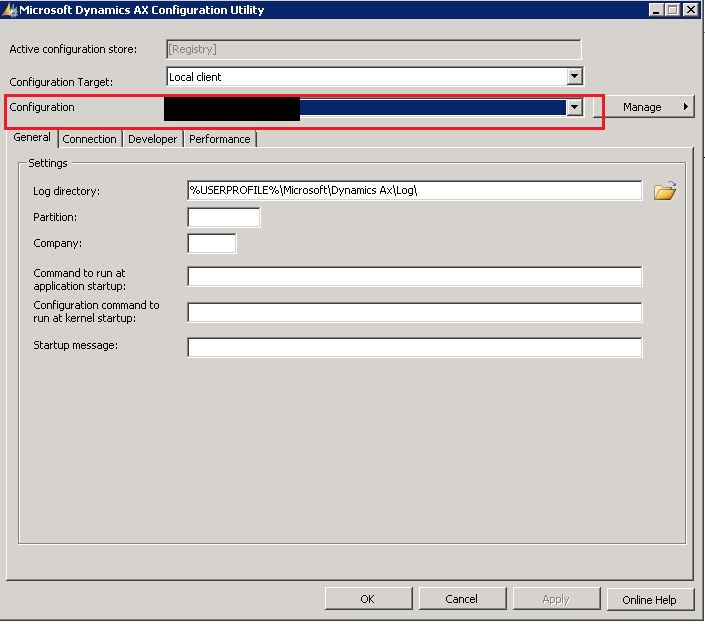
Hi Readers, Today, in this post we will share a solution for SSRS report issue. You might have seen when you run the SSRS report, it runs successfully but data will not display on the report. We have a solution for this... Issue:  Data is not showing on SSRS Report in AX 2012 Resolution: First, we need to understand how SSRS Report works. 1) SSRS Report fetches the data from AX. 2) For testing purpose, put a “test” in report layout and deploy it. 3) If it’s deploy successfully run the report and check “test” is showing in the report or not. 4) If “test” is showing on the report then the issue for not printing the data on report is; SSRS Report is not configured correctly with AX. How to do it? 1) Click on start button and open Microsoft Dynamics AX Configuration Utility. 2) A dialog box will open like below: 3) In the configuration dropdown choose the right AX configuration file. 4) Restart the AOS services. 5) Restart the SSRS report service...